Simple From the First Click
No setup. No account. Just drag your PDF and go.
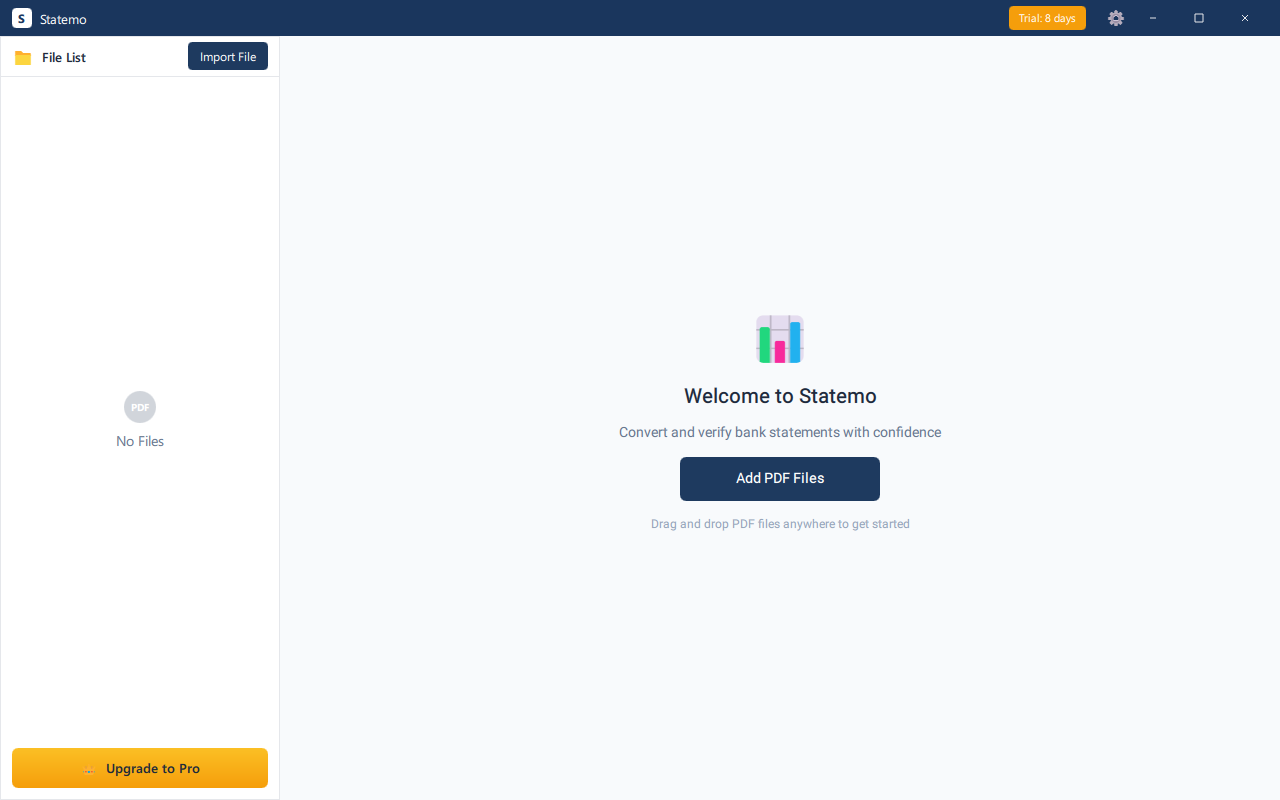
Transform bank statement PDFs into CSV, Excel, QBO & OFX , instantly, at blazing speed. No uploads, no cloud, no risk.
🧪 We're Recruiting Beta Testers
Get 3 months free Pro access , test Statemo with real client statements and help us make it better. Download and start today →
Questions? Email us at hello@statemo.com
Statemo is launching soon. Join the waitlist to get exclusive perks.
No spam. Unsubscribe anytime.
No setup. No account. Just drag your PDF and go.
Drop a whole month's statements. Statemo handles them sequentially, verifies each, and exports all results.
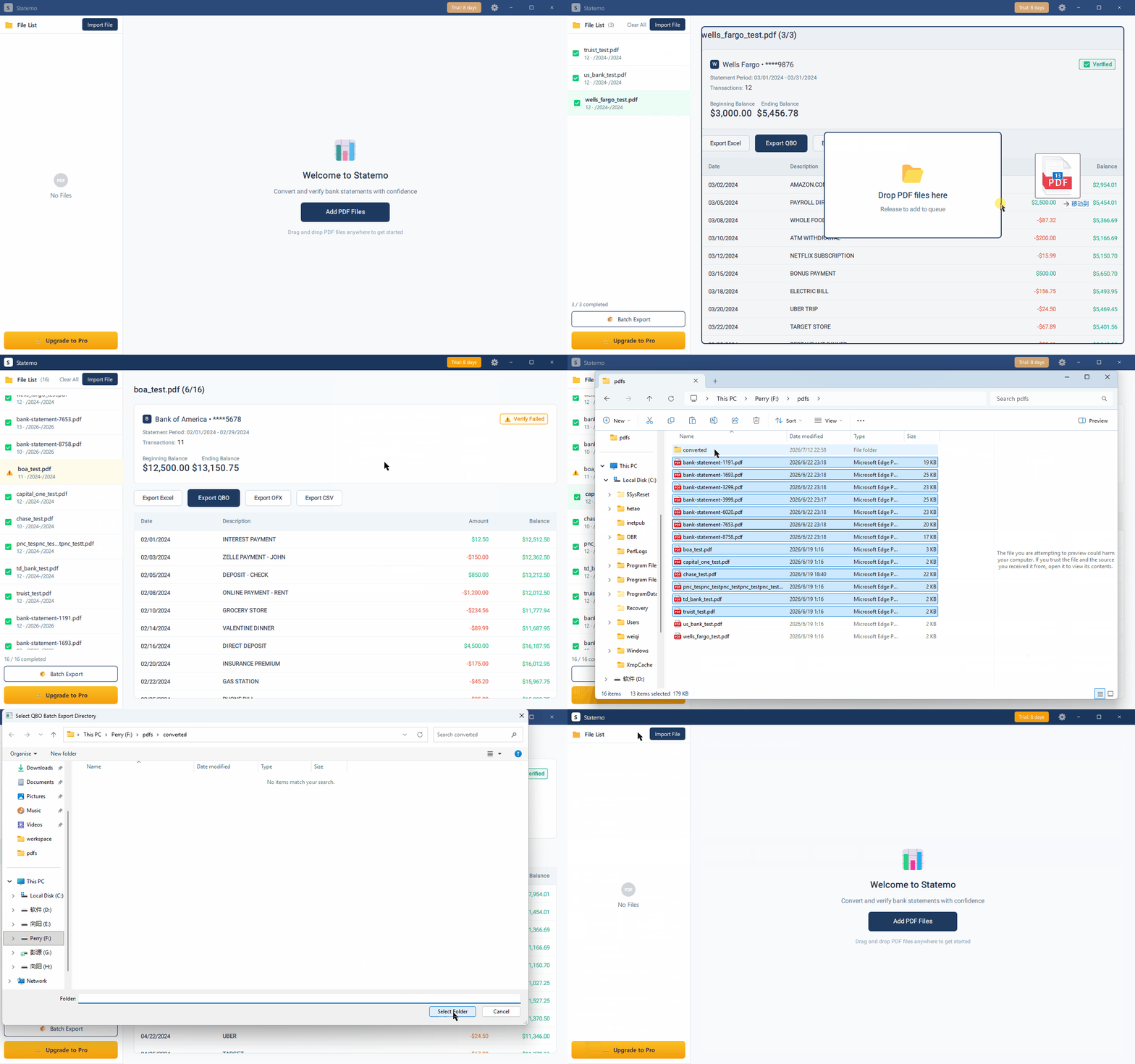
Every conversion is checked against 3 independent rules. Errors surface instantly.
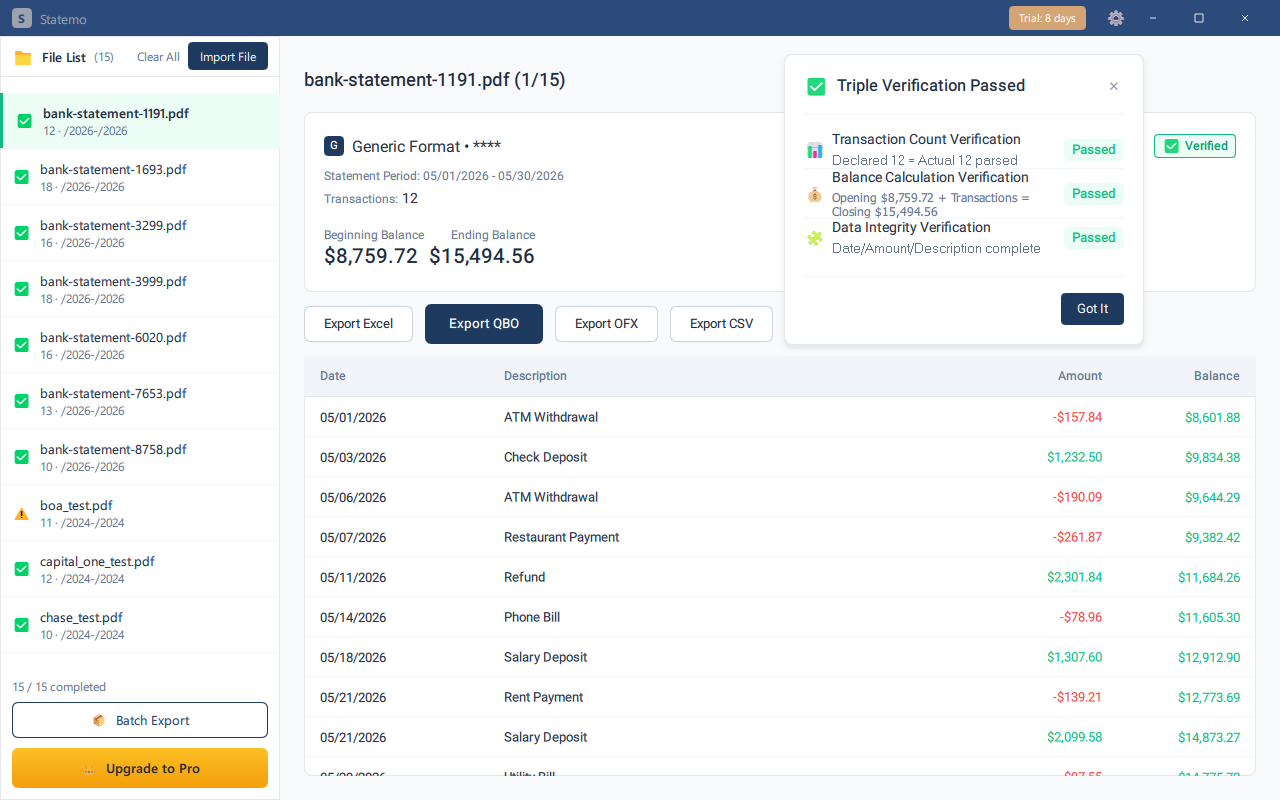
All 3 checks passed. Export with confidence.
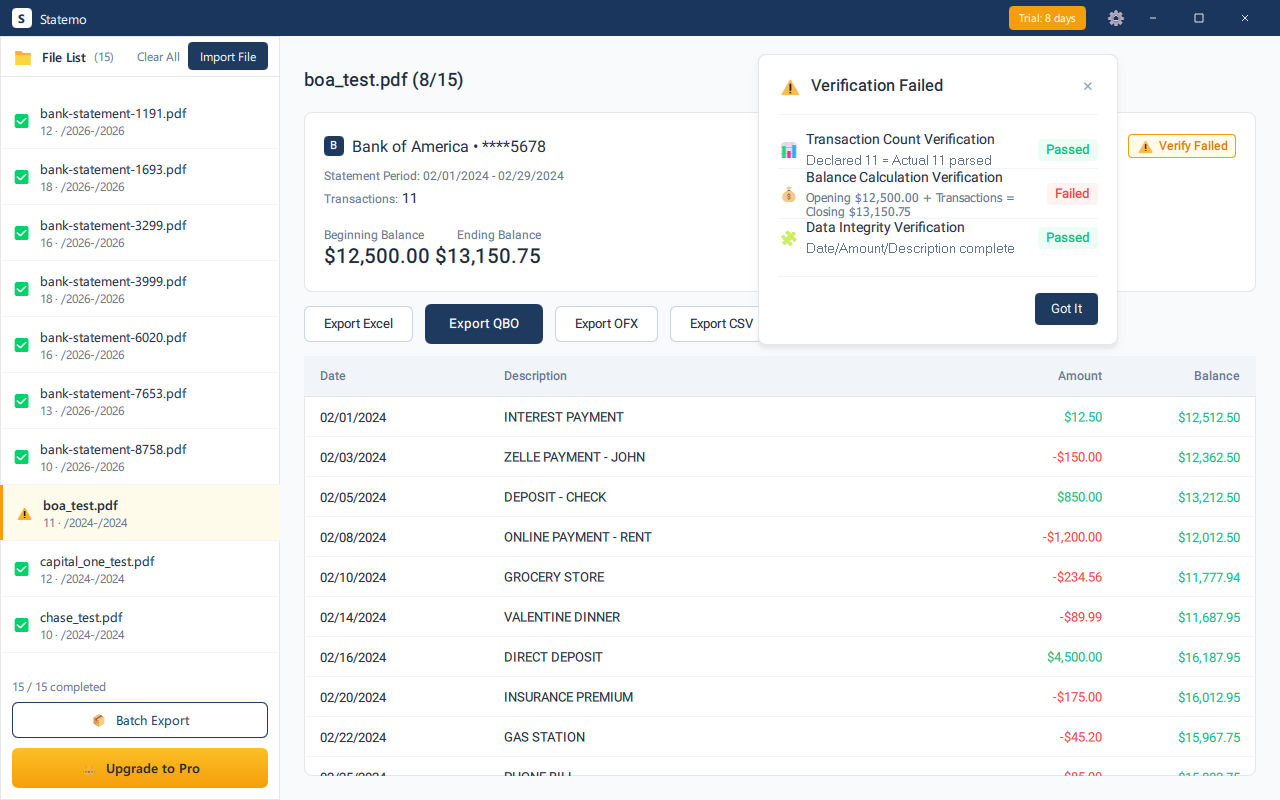
Balance mismatch caught before export. Fix it now.
Built for professionals who process bank statements daily
Automatically detects the bank, formats transactions, and extracts data from scanned documents with built-in OCR. No manual setup, no templates, no fuss.
Every conversion is verified against opening balance, running balance, and closing balance. If something is off, you will know immediately.
CSV for spreadsheets, Excel for reports, QBO for QuickBooks, and OFX for other accounting software. Import directly, no manual entry.
Drag in 10+ statements at once. Statemo processes each one in a fraction of a second , parse, verify, and export, all locally. Desktop efficiency that cloud tools can't match.
Everything runs locally on your machine. No sensitive financial data ever leaves your computer. Privacy is not a feature , it is the baseline.
Scanned or image-based statements? Built-in OCR extracts data from scanned documents , still 100% local, no cloud OCR services.
Drop your bank statement PDF into Statemo , or just double-click the file if you have set up file association.
Statemo detects the bank, parses transactions, and verifies balances. All within seconds, entirely on your machine.
Choose your format , CSV, Excel, QBO, or OFX , and import directly into QuickBooks or your accounting software.
30-day free trial. No credit card required.
We built Statemo because we believe uploading bank statements to the cloud is fundamentally wrong.
Data never leaves your machine
Download and start using
Nothing stored, nothing to leak
We're looking for bookkeepers and accountants to test Statemo with real client bank statements. Beta testers receive 3 months of free Pro access (no limits, no credit card). In exchange, we ask for honest feedback , what works, what breaks, what's missing. Your input directly shapes the product. Download and join →
Statemo supports all major US banks including Chase, Bank of America, Wells Fargo, Citibank, US Bank, PNC, Capital One, TD Bank, and many more. The parser automatically detects the bank format , no manual selection needed.
Absolutely. Statemo processes everything locally on your computer , no data is ever uploaded to any server. There is no cloud, no account, no data retention. Your bank statements never leave your machine.
Yes! Statemo comes with a 30-day free trial with full functionality. No credit card required. Convert real statements and see the results before making any commitment.
CSV for spreadsheets, Excel (.xlsx) for reports, QBO for QuickBooks import, and OFX for other accounting software. All formats are generated locally and ready to import directly.
Statemo is currently available for Windows. Mac support is on our roadmap , join the waitlist below and we'll notify you when it launches.
Yes, cancel anytime with no penalties. Your subscription remains active until the end of the billing period. No questions asked.
We're looking for real bookkeepers to stress-test Statemo. 3 months free Pro, no limits, no credit card. Your feedback shapes the product.
Join the Beta , It's FreeQuestions? Email us at hello@statemo.com
Guides, comparisons, and troubleshooting tips for converting bank statements and using QuickBooks.